
License & Device Binding
OpenClaw Ultra does not require an account. Your PRO purchase is bound to the device where you complete the checkout.
How It Works
| Item | What it means |
|---|---|
| No account | No sign-in or registration is needed |
| Device-bound purchase | PRO unlocks on the device used to pay |
| Restore Purchase | You can restore PRO on the same device after reinstalling |
| Multiple devices | Purchase per device or a 3-device license |
Restore PRO on the Same Device
If you reinstalled Windows or reinstalled OpenClaw Ultra, restore your PRO status on the same device:
- Open OpenClaw Ultra
- Go to the
Moremenu →Restore Purchase - Your PRO license will be automatically restored
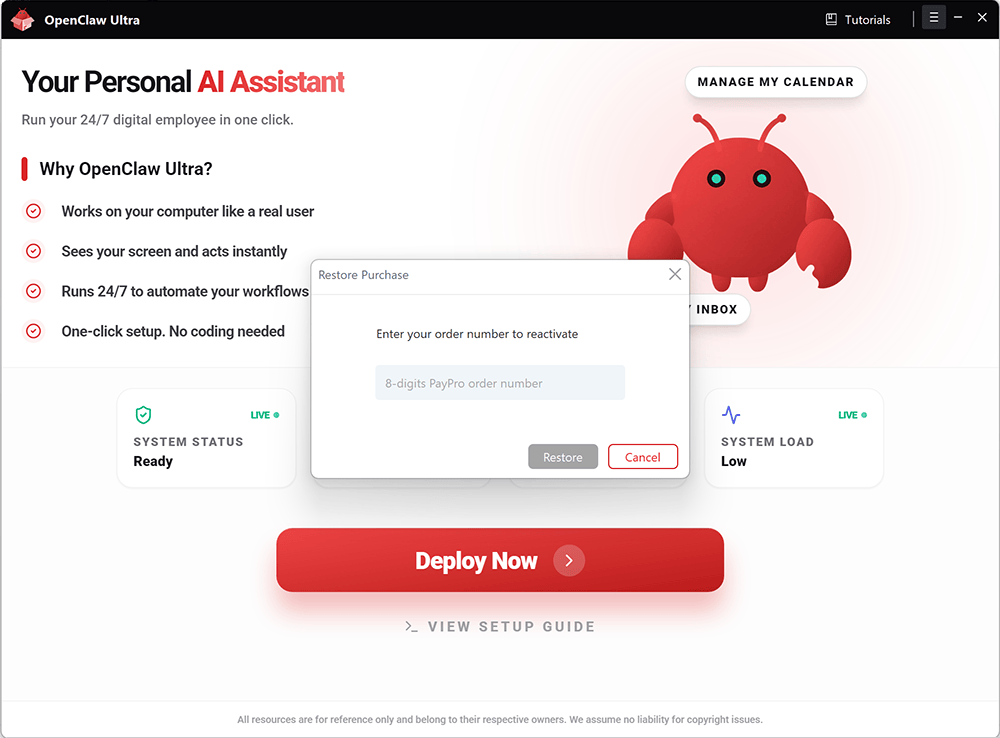
If you still can’t restore, contact support with your payment receipt / order info.
Use PRO on Another Device
Because PRO is device-bound, using PRO on a different device typically requires:
- A separate purchase for that device, or
- You've purchased a 3-device license
Next Steps
- Upgrade and checkout: Payment Guide